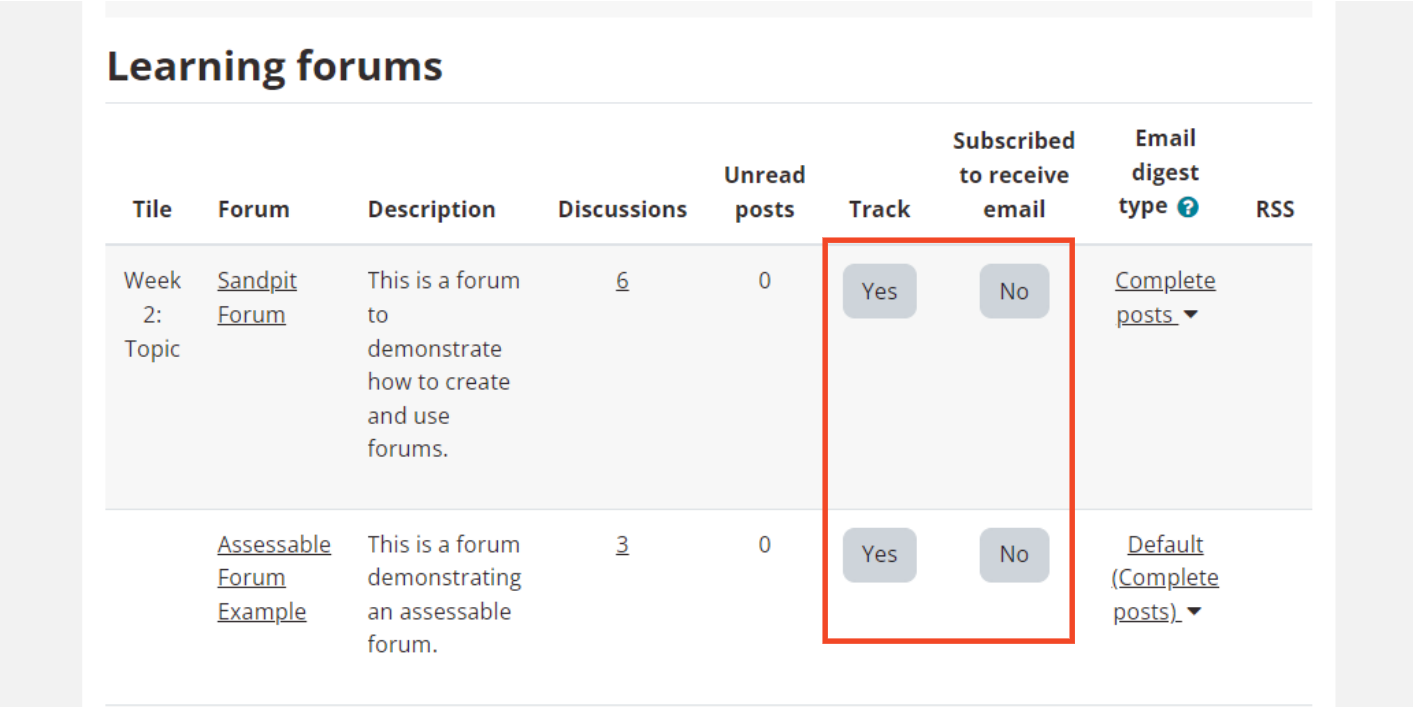
Forums
Subscribe or unsubscribe from Forums
What?
When a user is subscribed to a Forum it means they will receive a notification (via myLearn and/or email, depending on the user’s set preferences) when a new post is made in a Forum. It is possible to subscribe to all Forums in a site, or specific Forums only. It is possible to receive a notification every time a new post is made, or via a daily email digest. This section details how to subscribe or unsubscribe yourself to Forums.
Why?
Subscribing to a Forum is one useful way of keeping track of what has been posted in a Forum or specific Forum discussion, and is particularly useful when timely notification (i.e. of recent posts) is desired.
Tip: By default, notifications in myLearn are sent about 30 minutes after the Forum post was saved. Emails can be configured to send each time a Forum post is made, or via a daily digest.
How?
Subscribe to ALL Forums in a site
- Locate the Activities block in the Block drawer on the right-hand side; scroll down and click on Forums.

- Click on the Receive emails from all forums option on the right-hand side.
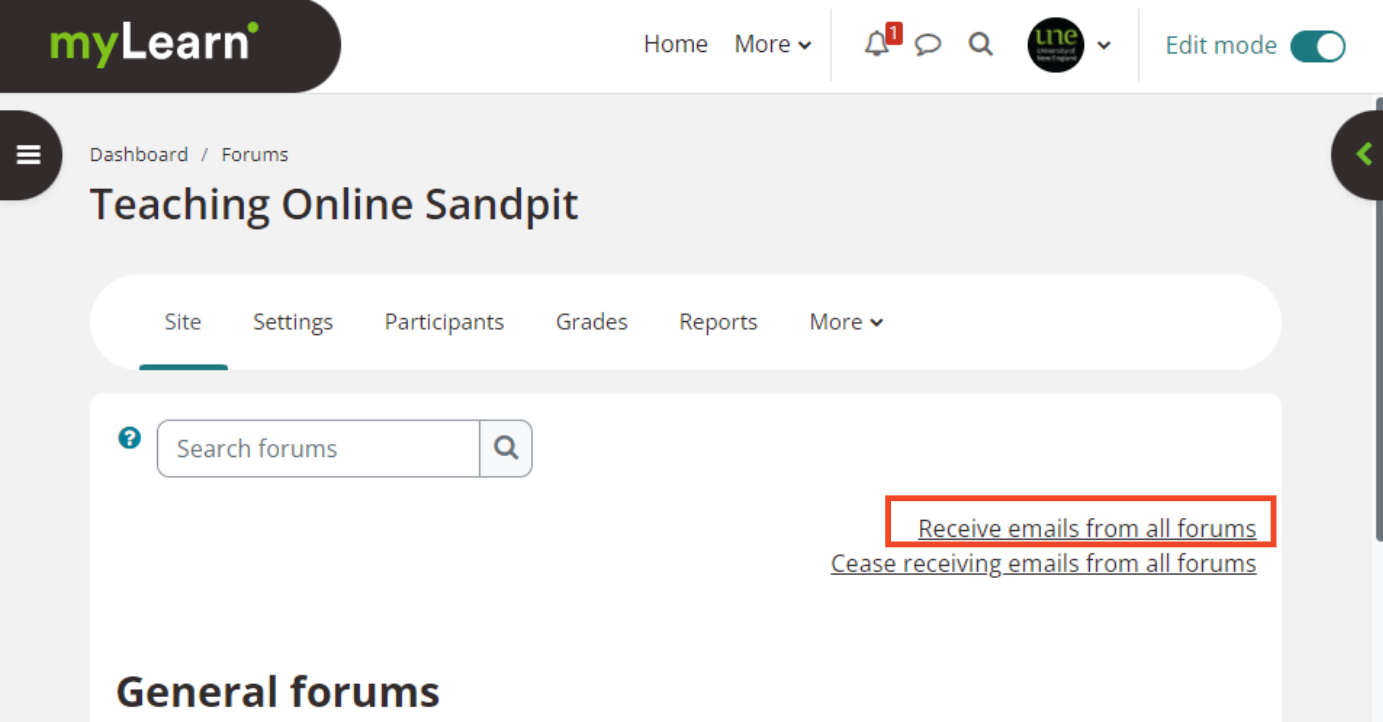
- A confirmation of subscription will appear.
Unsubscribe from ALL Forums in a site
- Locate the Activities block in the Block drawer on the right-hand side; scroll down and click on Forums.
- Click on the Cease receiving emails from all forums option on the right-hand side.
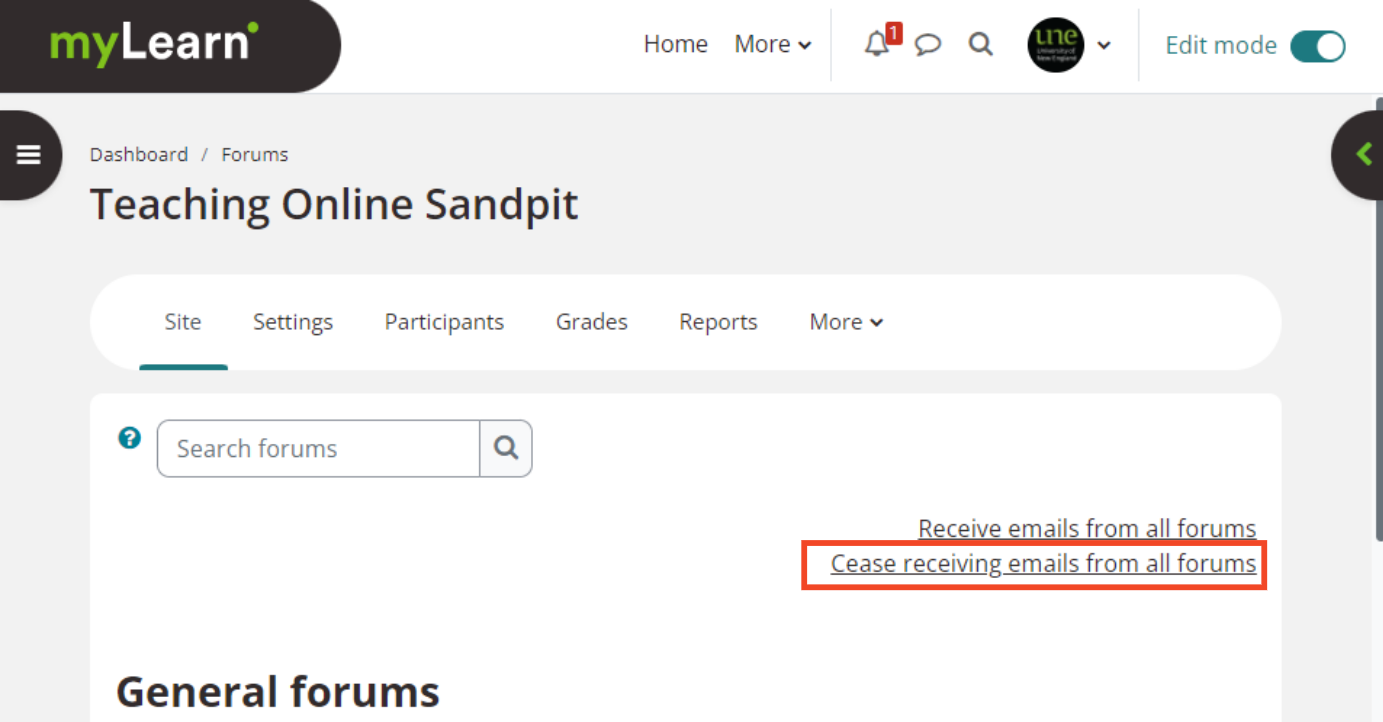
- A confirmation of this change will appear.