Forums
| Global: | UNE myLearn |
| Site: | Learning Online at UNE |
| Book: | Forums |
| Printed by: | Guest user |
| Date: | Monday, 26 October 2026, 12:43 AM |
Subscribe or unsubscribe from Forums
What?
When a user is subscribed to a Forum it means they will receive a notification (via myLearn and/or email, depending on the user’s set preferences) when a new post is made in a Forum. It is possible to subscribe to all Forums in a site, or specific Forums only. It is possible to receive a notification every time a new post is made, or via a daily email digest. This section details how to subscribe or unsubscribe yourself to Forums.
Why?
Subscribing to a Forum is one useful way of keeping track of what has been posted in a Forum or specific Forum discussion, and is particularly useful when timely notification (i.e. of recent posts) is desired.
How?
Subscribe to ALL Forums in a site
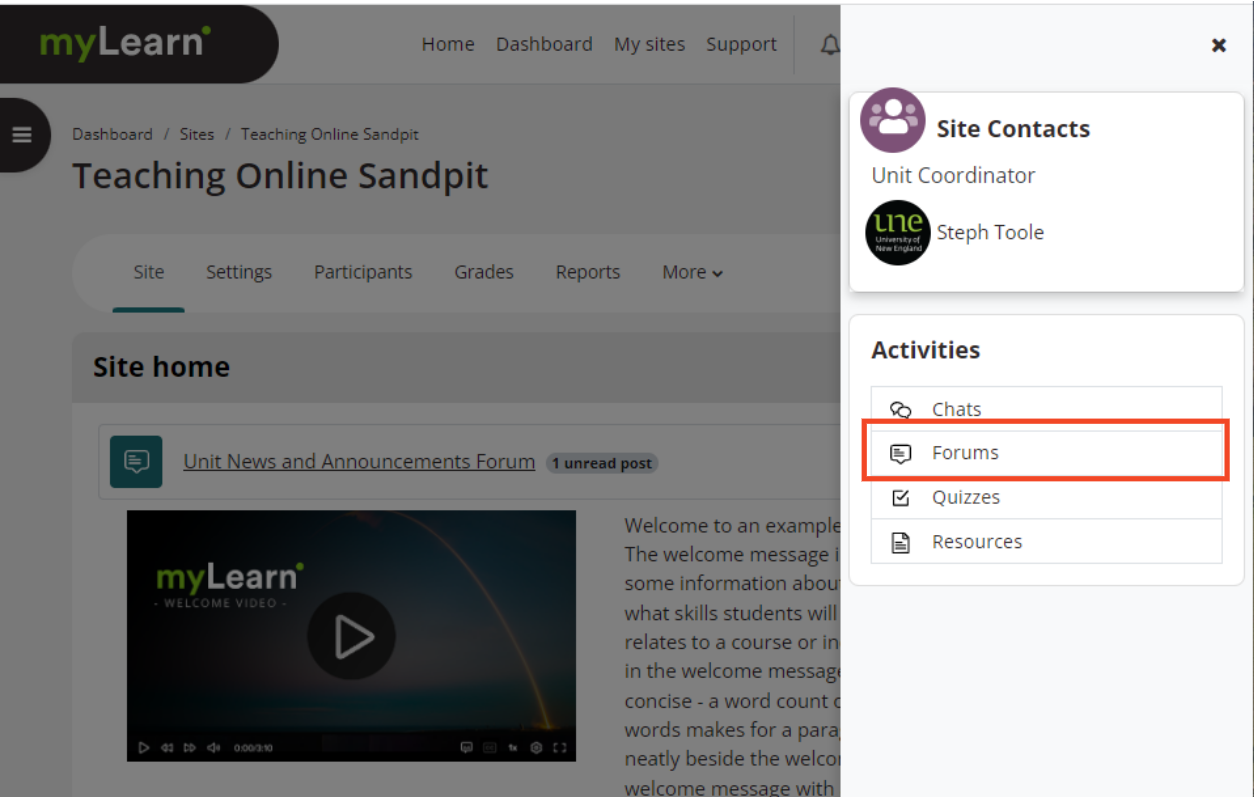
- Locate the Activities block in the Block drawer on the right-hand side; scroll down and click on Forums.

- Click on the Receive emails from all forums option on the right-hand side.
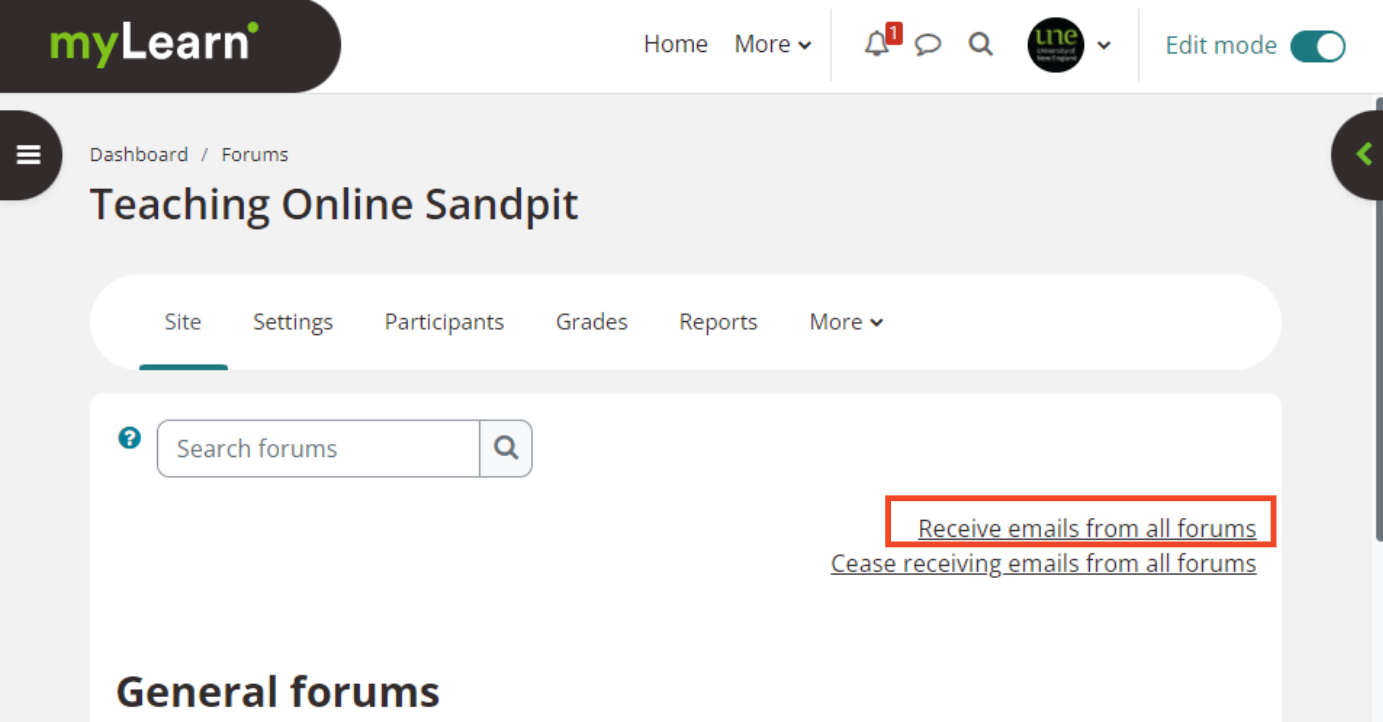
- A confirmation of subscription will appear.
Unsubscribe from ALL Forums in a site
- Locate the Activities block in the Block drawer on the right-hand side; scroll down and click on Forums.
- Click on the Cease receiving emails from all forums option on the right-hand side.
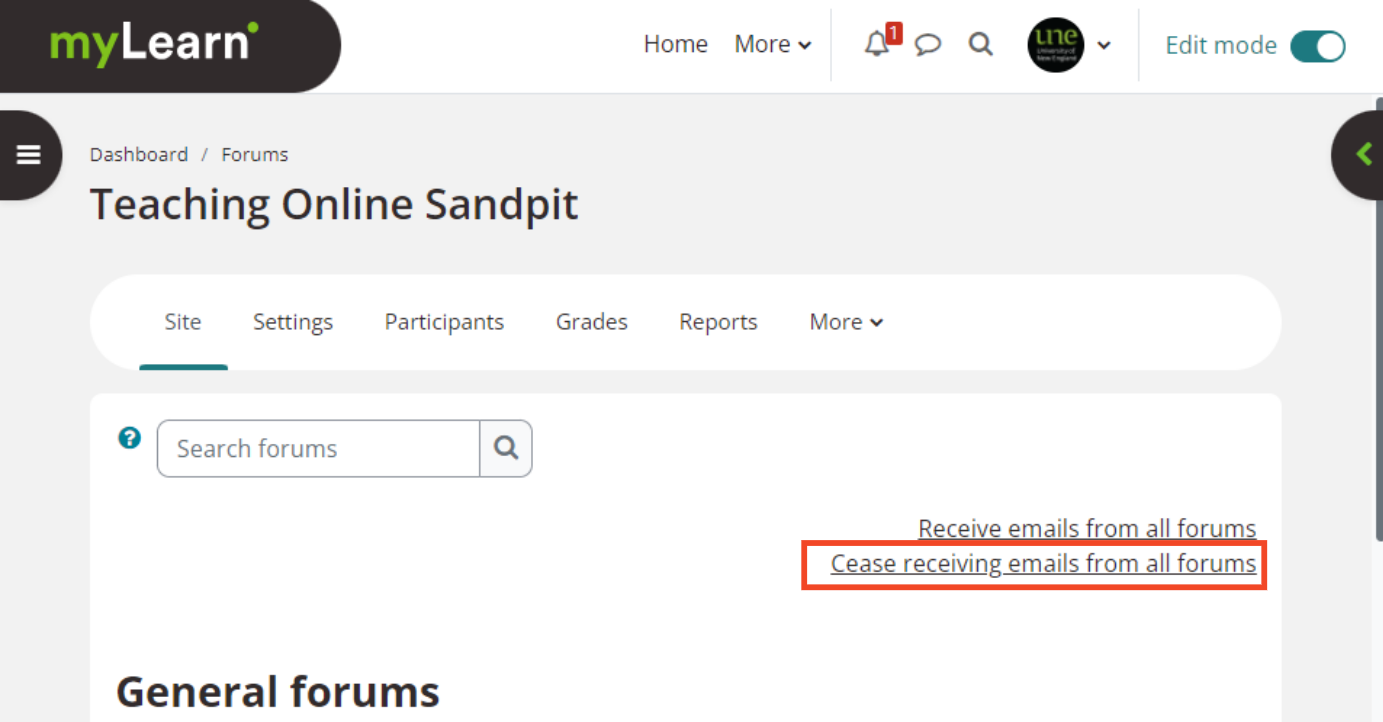
- A confirmation of this change will appear.
Subscribe or Unsubscribe to specific Forums in a site
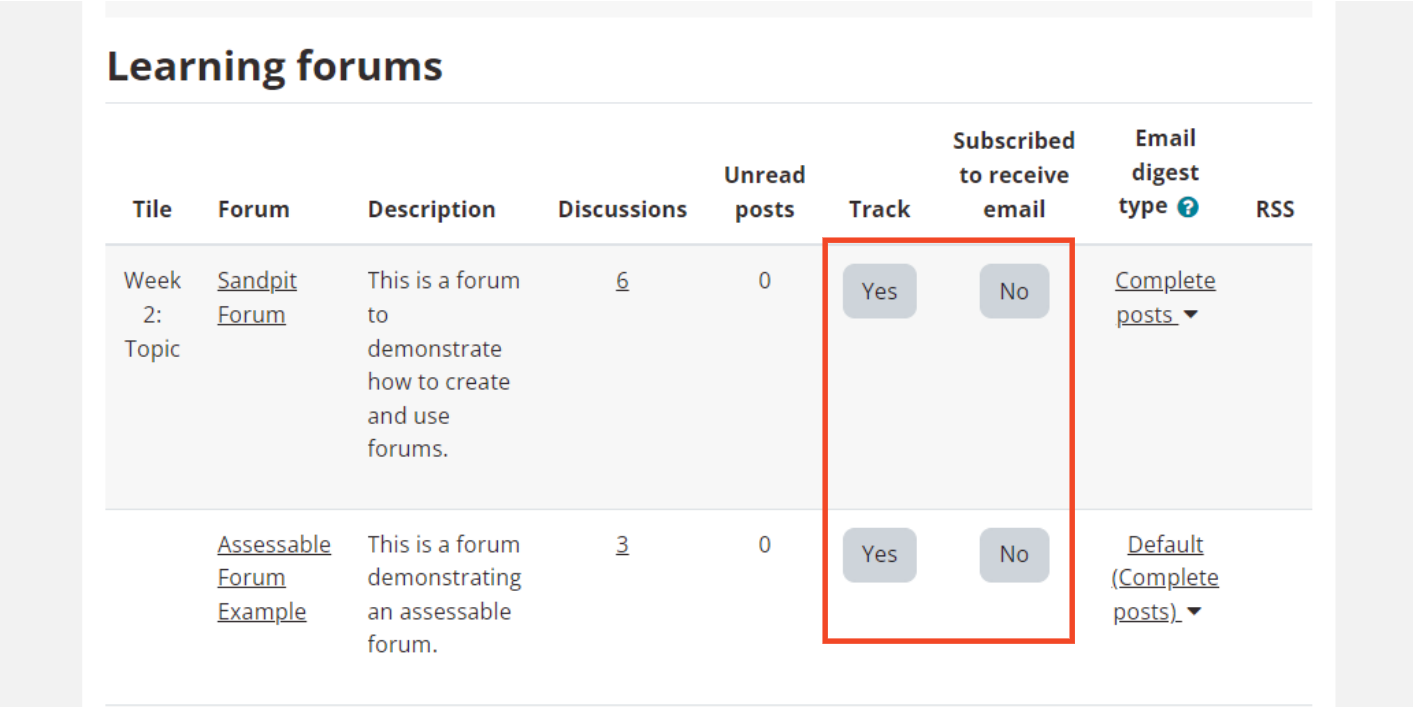
Set up an email digest of Forum activity
What?
Within myLearn you can edit your Preferences to change the way you receive emails about new Forum posts in Forums to which you are subscribed. There are three types of email digest:
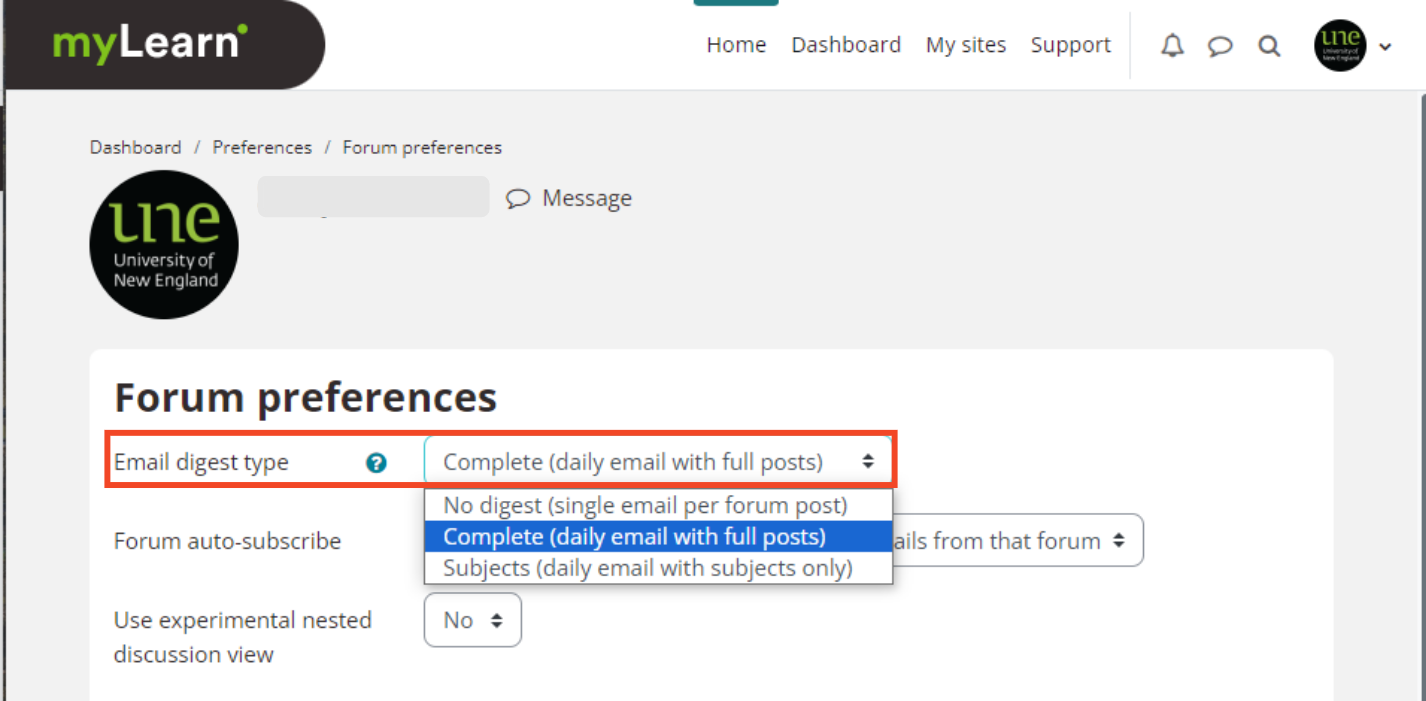
- No digest - you will receive one email per Forum post
- Complete - you will receive one digest email per day containing the complete contents of all Forum posts that day
- Subjects - you will receive one digest email per day containing just the subject of each Forum post
Why?
Setting up daily digests (complete or subject only) can be a helpful way of reducing the volume of emails you receive about posts in Forums you are subscribed to in your myLearn sites, but still remaining informed about Forum activity (as opposed to unsubscribing from Forums).
How?
Set Preferences for ALL Forums
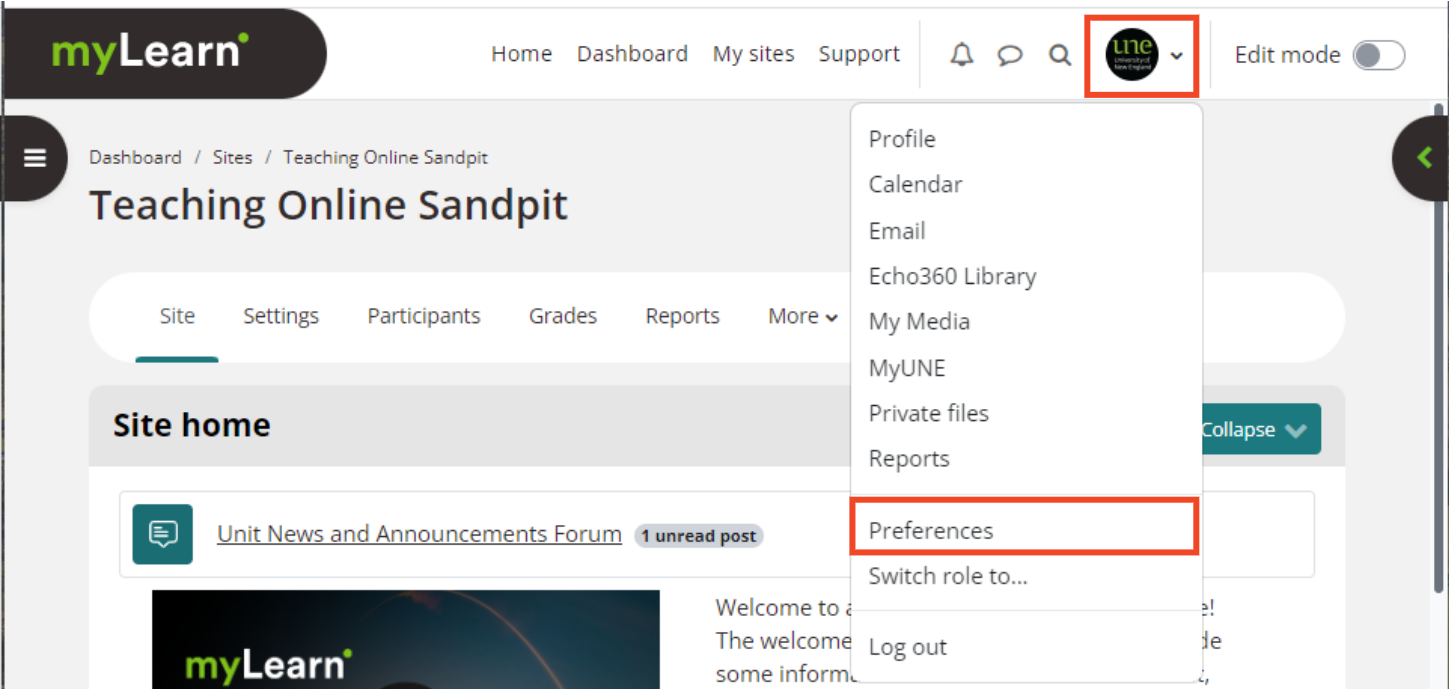
- Navigate to your myLearn Preferences by clicking on your Profile Icon and then selecting Preferences from the dropdown menu.
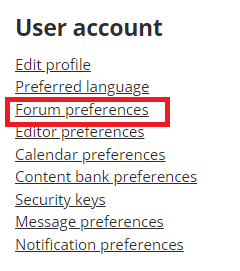
- Within the User account section, click on Forum preferences.
- In the Forum Preferences section, select the desired digest type from the Email digest type dropdown menu.
- Click Save changes.
Set Preferences for Specific Forums
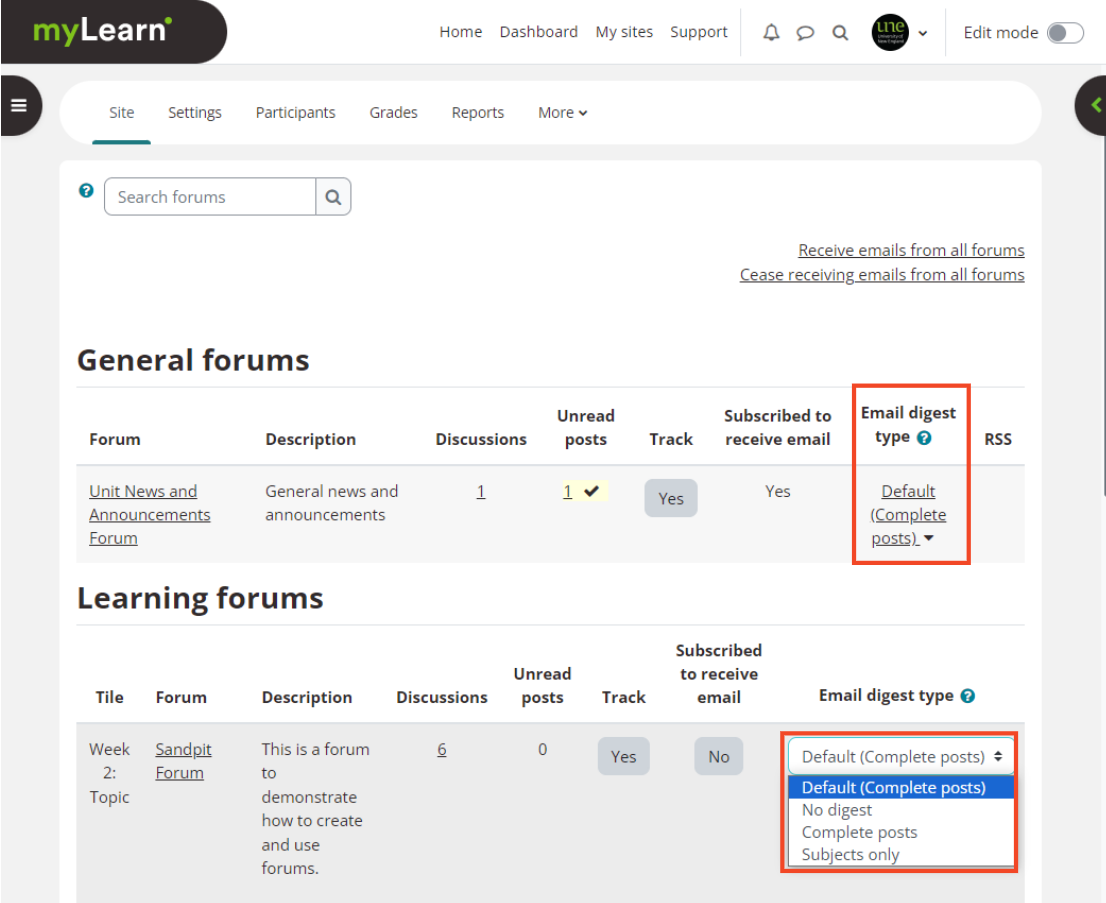
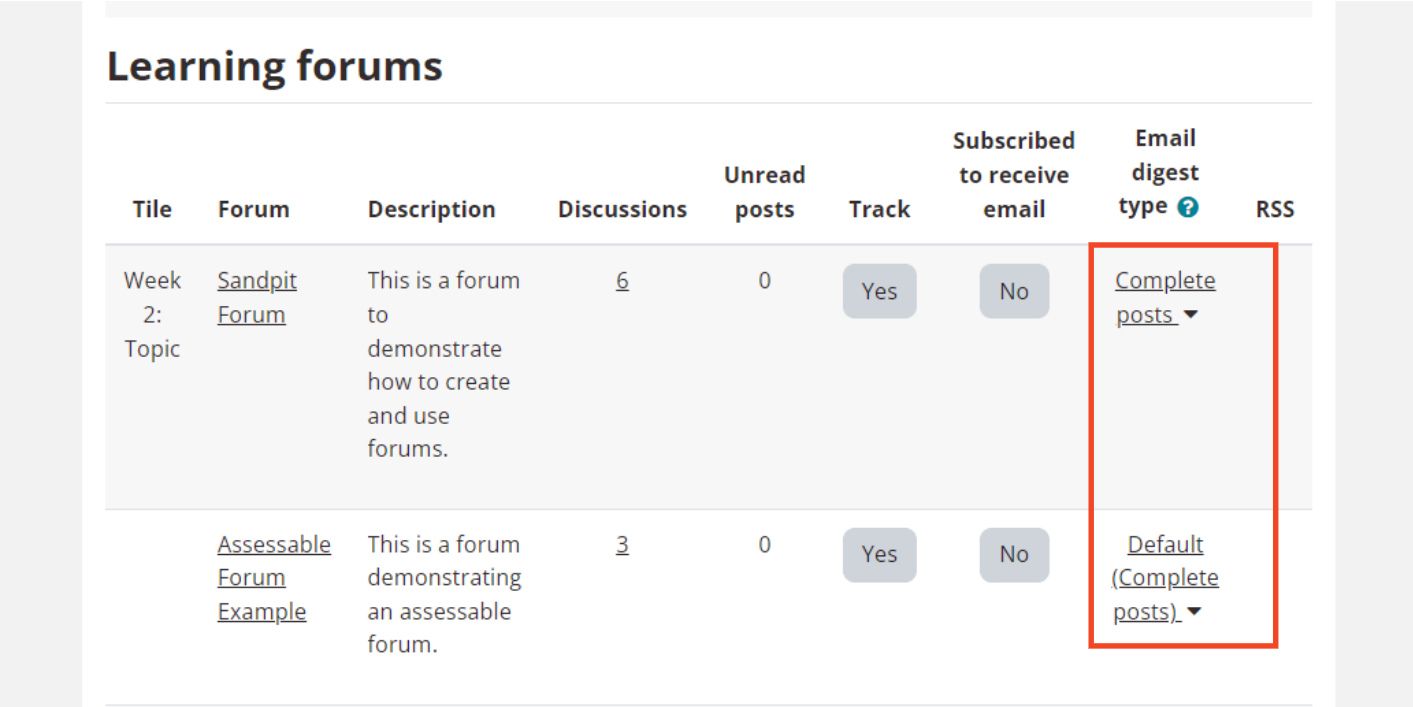
- Locate the Activities block in the Block drawer on the right-hand side; scroll down and click on Forums.
- Default - the Forum Preferences configured in your myLearn Profile (see above) will be followed.
- No digest - you will receive one email per Forum post
- Complete posts - you will receive one digest email per day containing the complete contents of posts in that Forum that day
- Subjects only - you will receive one digest email per day containing just the subject of each Forum post in that Forum that day